WAMP server
When working with any site it is important to have a development environment. With WordPress there can be conflicts with WordPress versions and plugins. It is also vital to be able to test code before making it live. I am documenting here how I run a local development environment and populate it with a live site.
These instructions work and have been tested on Windows 8 and 10.
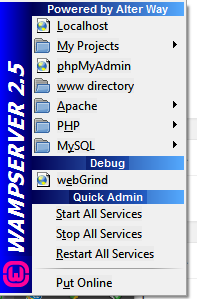
First step is to install WAMP. You will need to allow it to pass through your firewall. When it is installed and you run it there will be an icon in the taskbar that will turn green if successful.
Note: If the icon won’t turn green then there could e another process running on port 80. Skype will interfere so you may want to close it down. Alternatively you can set up WAMP to listen on a different port. To do this you will need to:
- Edit C:\wamp\bin\apache\apacheX.X.X\conf\httpd.conf
- Change the two Listen lines to use port 8080 instead of 80
- Change localhost:80 to localhost:8080
- Use :8080 after URLs
Now you need to get a copy of your WordPress site:
- Export and download your database
- On your live Wordress site, zip wpadmin, wpcontent and wpincludes as well as any files beginning with wp in root and index.php
- Download the zip file from the above step and be sure to remove it from the server
- Create a folder in c:\wamp\www called yourwebsite
- Unzip the live WordPress files to the folder you just created
- Create a database using http://localhost/phpmyadmin/ the database name will be the same as the database listed in your wp-config.php file
- Import the database file exported from the live site in step 1
- Update C:\wamp\www\yourwebsite\wp_config.php, change user to “root” and empty password
- Edit C:\wamp\bin\apache\apacheX.X.X\conf\httpd.conf change DocumentRoot “c:/wamp/www/” to DocumentRoot “c:/wamp/www/yourwebsite/”
- In the apache modules (from clicking on WAMP in the taskbar and choosing apache > modules ensure rewrite_module is enabled
- Using http://localhost/phpmyadmin/ run the SQL script at the end of this list. This is important as all the links in the database will be pointing at your live server.
- See if the site works: http://localhost (ot http://localhost:8080 if you canged port numbers)
- In admin panel go to settings / permalinks and save. This will overcome page not found on child links
These steps should work to get a local development environment working. It will not send emails, so if that is required you may want to try using Test Mail Server Tool
SQL Script to fix links
You need to ensure you replace yourwebsite.com with your website name
UPDATE wp_options SET option_value = replace(option_value, ‘https://www.yourwebsite.com’, ‘http://localhost’) WHERE option_name = ‘home’ OR option_name = ‘siteurl’;
UPDATE wp_posts SET post_content = replace(post_content, ‘https://www.yourwebsite.com’, ‘http://localhost’);
UPDATE wp_postmeta SET meta_value = replace(meta_value,’https://www.yourwebsite.com’,’http://localhost’);
update wp_posts set post_content = replace(post_content, ‘https://www.yourwebsite.com’, ‘http://localhost’) where instr(post_content, ‘https://www.yourwebsite.com’) > 0;
update wp_posts set post_content = replace(post_content, ‘http://www.yourwebsite.com/’, ‘http://localhost/’) where instr(post_content, ‘http://www.yourwebsite.com’) > 0;
update wp_links set link_url = replace(link_url, ‘http://www.yourwebsite.com/’, ‘http://localhost/’) where instr(link_url, ‘http://www.yourwebsite.com/’) > 0;
update wp_links set link_url = replace(link_url, ‘https://www.yourwebsite.com/’, ‘http://localhost/’) where instr(link_url, ‘https://www.yourwebsite.com/’) > 0;
update wp_links set link_url = replace(link_url, ‘https://yourwebsite.com/’, ‘http://localhost/’) where instr(link_url, ‘https://yourwebsite.com/’) > 0;
Alternatively you can use a text editor to do a find and replace on the SQL file before you import it. If using Notepad++ the following will work well, assuming your site is example.com.au:
Find (using Regulat expression): http?://(www\.)?example.com.au([^\s”]*)
Replace: http://localhost/example\2
And that’s it!
Good luck. The main issues I have come across are that:
WAMP won’t start – you will need to check what else is running on the same port
Internal links are broken – Make sure to go to settings > permalinks and press save, and that you updated the SQL script before running it.


